

It’s 8:07am. A kid needs a specific coloring page for school in twenty minutes, the printer is blinking an error at you, and you’re certain you replaced that ink cartridge last week. If any of that feels a little too familiar — welcome, you’re among friends.
Here’s the truth nobody tells you: the best printer for printables isn’t the flashiest one on the shelf. It’s the one that’s cheap to run, connects without a fight, and doesn’t quit on you at the worst possible moment. And almost every “best printer” guide out there is written for artists and Cricut crafters chasing gallery-quality prints — not for the rest of us who just want to print a stack of coloring pages and worksheets without remortgaging the house for ink.
I’ve owned a few printers over the years — one brilliant, one that drank ink like it was going out of fashion — so this is the honest, no-jargon guide I wish someone had handed me.
My Top Picks at a Glance
- Best overall & best value: Epson EcoTank ET-2800 — refillable ink tanks instead of pricey cartridges. Around $199.
- Cheapest to run (black & white): Brother DCP-L2640DW mono laser — perfect for coloring outlines and worksheets. Around $240.
- Best budget all-rounder: HP OfficeJet Pro 8125 or Epson Expression XP-4200 — cheap up front, scans and copies too. From ~$60–$120.
- Best for colorful printables & photos: Canon PIXMA MegaTank G3290 — rich color, low ink cost. Around $230.
(Prices bounce around — check the current price before you buy.)
That’s the shortlist. But if you want the right one for your home — not just a good one — it helps to know what actually matters here. Spoiler: it’s not what’s printed on the box.
What Actually Makes the Best Printer for Printables (It’s Not the Price Tag)
Forget the spec sheet for a second. For home printing, three things decide whether you’ll love or quietly resent your printer.
Ink Cost, not the Sticker Price
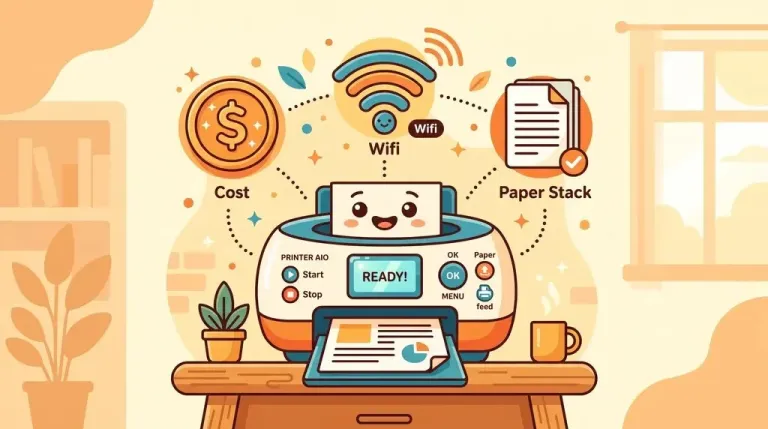
This is the big one, and it’s exactly what most guides skip. A $60 printer with $40 cartridges will quietly cost you far more than a $200 printer with cheap ink. If you print a lot — and if you’ve found this page, you do — the number that matters is cost per page, not the price tag.
It has to Match What you Print
Mostly black outlines and worksheets? A laser is your friend. Bright, colorful printables and the occasional photo? An ink-tank inkjet. More on this below.
Wireless that Just Works
You want to hit “print” from your phone or laptop and walk away. Nearly every printer does this now, but the app quality varies wildly — a clunky app is a daily annoyance, so it’s worth reading recent reviews.
Nice-to-haves that genuinely help: auto duplex (prints both sides, saves paper and money), a real paper tray rather than a flimsy top-loader, and a built-in scanner for copying the odd worksheet.
But that very first point — ink cost — is where most people quietly lose money. It’s the trap, so it gets its own section.
The $60 Printer Trap: Why Cheap Printers Aren’t Actually Cheap
Here’s the thing printer companies don’t put on the box: the machine is cheap because the ink isn’t. That $60 bargain printer often ships with half-empty starter cartridges, and a full replacement set can cost more than the printer itself. Print daily, and you’ll feel it fast.
For high-volume home printing, two types quietly win every time:
- Refillable ink-tank printers (Epson EcoTank, Canon MegaTank, HP Smart Tank) — you pour in bottles of ink that cost pennies per page. Higher up-front price, dramatically lower running cost.
- Mono laser printers (Brother) — toner lasts for thousands of pages, so black-and-white printing is astonishingly cheap.
Put it in real terms: with a cartridge printer you might be buying ink twice a month; with a tank or laser, closer to twice a year. Same stack of coloring pages — wildly different bill.
So if you remember one line from this whole guide, make it this: buy for the running cost, not the sticker price. A cheap printer is rarely the cheapest printer.
Now — you want cheap ink. But cheap ink comes in two very different flavours, and picking the wrong one is a mistake of its own.
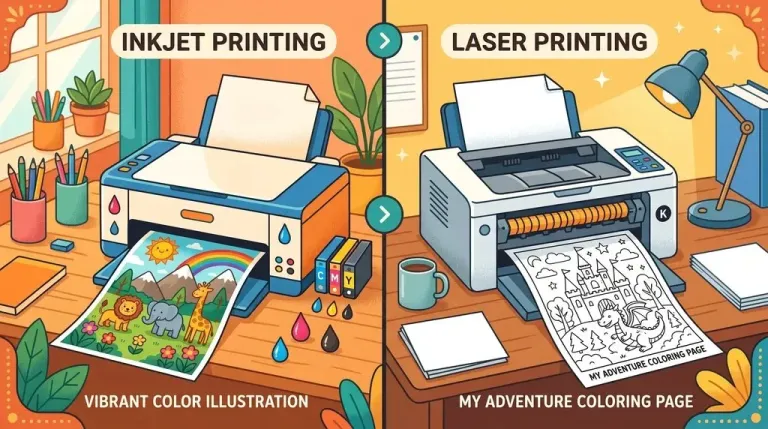
Inkjet or Laser? Pick by What Lands in Your Tray
Both are great; they just suit different homes.
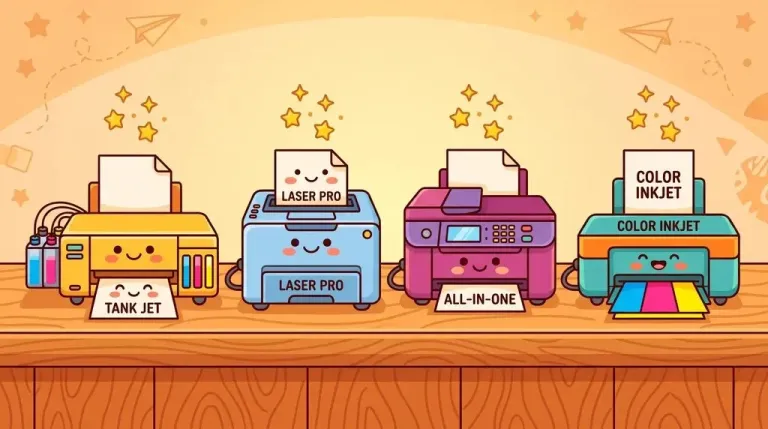
Choose a laser if you mostly print coloring outlines, worksheets, chore charts, and activity sheets. Laser is fast, the text is crisp, it’s the cheapest per page, and it won’t dry out if you skip a week. The catch: mono lasers are black-and-white only (which is fine — the kids add the color!).
Choose an ink-tank inkjet if you print colorful printables, activity packs, invitations, or the odd photo. A tank model gives you all that color without wrecking your budget.
Honestly? Plenty of families end up with both eventually — a cheap laser for everyday pages and a tank inkjet for the colorful stuff. But if you’re buying one, pick by what lands in your print tray most often.
Enough theory. Here are the four I’d actually spend my own money on — including the one I almost bought, and why I walked away.
The Printers I’d Actually Buy (and the One I Almost Did)
Best Overall — Epson EcoTank ET-2800
If I could recommend only one, it’s this. Instead of cartridges, it uses refillable tanks, and a set of bottles lasts an almost silly amount of printing. It costs more up front (~$199), but if you print activities every week it pays for itself and then some.
This one’s been our workhorse for about two years. I print coloring packs and worksheets most days, and I still only top the tanks up a couple of times a year. The up-front price made me wince at the time — but I honestly haven’t thought about ink since, which is the whole point.
Cheapest to Run — Brother DCP-L2640DW (Mono Laser)
For pure black-and-white — outlines, worksheets, homeschool packets — a Brother mono laser is tough to beat. Fast, reliable, toner lasts ages, and it just works. No color, so pair it with crayons and markers.
I gave a Brother laser to a teacher friend for her classroom a couple of years back. She prints worksheets for a full class and still hasn’t swapped the toner. It’s no beauty — it’s a boxy grey lump and it whirrs when it wakes up — but for a class set of black-outline pages she genuinely doesn’t care, and neither will you. Around $240.
The One I Almost Bought — HP OfficeJet Pro 8125 / Epson XP-4200
I’ll be honest: when I bought my current printer, I nearly grabbed one of these instead. They’re affordable all-in-ones that print, scan and copy, and that ~$60–$120 price tag is very tempting when you’re standing in the shop with a trolley.
Here’s why I walked away. A cheap cartridge inkjet like this was my first printer, and it did the job fine — right up until the cartridges started emptying what felt like every other week. The maths stopped adding up: I’d have spent the “saving” on ink within a few months. So the honest verdict — brilliant as a starter or for light, occasional printing, but if you print daily like we do, you’ll outgrow it fast. If a subscription like HP Instant Ink matches your volume it softens the blow; if not, factor the cartridge cost into the real price before you’re seduced by the sticker.
Best for Color — Canon PIXMA MegaTank G3290
If your kids love bright printables and you want photos too, Canon’s refillable MegaTank gives rich color with low running cost — a lovely middle ground.
A friend who runs a little home daycare uses one for her colourful activity sheets. Fair warning: she says the first setup was fiddlier than she’d like — filling the tanks is a slightly messy ten minutes and you’ll want kitchen roll handy. But once it’s running, the color genuinely pops and she’s not forever buying ink, which for a room full of toddlers is the whole battle. Around $230.
So, Which Should You Buy?
- Print a lot and want color → Epson EcoTank ET-2800.
- Mostly black-and-white, want it cheap and reliable → Brother mono laser.
- Want the lowest up-front price and a scanner → HP OfficeJet Pro / Epson XP-4200.
- Want the best color for the money → Canon PIXMA MegaTank.
Any of these will chew through a stack of free printables without complaint. Honestly? Whatever you pick from this list, you won’t regret it — the only real mistake is buying on price alone.
But there’s one last thing that trips people up, and it’s not the printer at all. It’s the paper.
The Paper Mistake Almost Everyone Makes
The printer is only half the story — and this is the bit people skip. For crayons and pencils, plain paper is fine. But hand a kid a marker on flimsy 80gsm paper and it bleeds straight through onto the table (ask me how I know). For anything with markers, or a page you actually want to keep, a heavier paper stops the bleed and simply feels nicer to colour on. If you’re stocking up for lots of printing, get the weight right — see our guide to the best cardstock and paper for printables.
Frequently Asked Questions
What is the best printer for printables on a budget?
Cheapest to buy is a basic HP or Epson all-in-one. Cheapest to own is an Epson EcoTank or a Brother mono laser — the ink and toner are so cheap per page that they win over a year, easily. Big difference, and it’s the one that matters.
Is inkjet or laser better for coloring pages?
Plain black outlines and worksheets? Laser — faster, crisper, cheaper per page. Colourful printables? Inkjet, ideally a refillable tank model.
Do I really need a color printer?
Nope — the kids add the colour! A black-and-white laser is perfect for outlines. Get colour only if you also print vibrant printables, invitations, or the odd photo.
How do I keep ink costs down?
Print everyday pages in grayscale or draft mode, buy a printer with cheap ink (tank or laser), and save “best quality” for when it actually matters.
Can I print your free coloring pages on any of these?
Yes — every printer here handles standard PDF coloring pages perfectly. Just tick “Fit to page” in the print box so nothing gets cut off at the edges.


Leave a Reply